Tax Info
False income in Korea: what to do if you 'worked' where you didn't work? |Work Denial Application|
- stenkacommunity Popular
-
 1,424
1,424
 0
0


📌 Refusal of False Income in Korea: Application Guide via HomeTax
In Korea, cases are increasingly occurring where an individual's tax system shows income from a company where they have never worked. This can happen due to accountant errors, incorrect reporting, or fraudulent actions by third parties.
Such "fake" income can lead to serious consequences:
-
assessment of income tax (종합소득세) on a non-existent amount;
-
reduction or annulment of tax refund;
-
increase in insurance contributions;
-
reduction in social benefits;
-
problems when obtaining a loan.
To protect yourself, Korea has a procedure called 근로부인 신청 — an application to dispute income on HomeTax.
📝 When to submit a 근로부인 신청
-
In your income history (소득내역) on HomeTax, you found a record of income that you did not receive.
-
You have never worked for the specified company.
-
You have not signed an employment contract or received payments.
📌 Step-by-Step Guide for 근로부인 신청
-
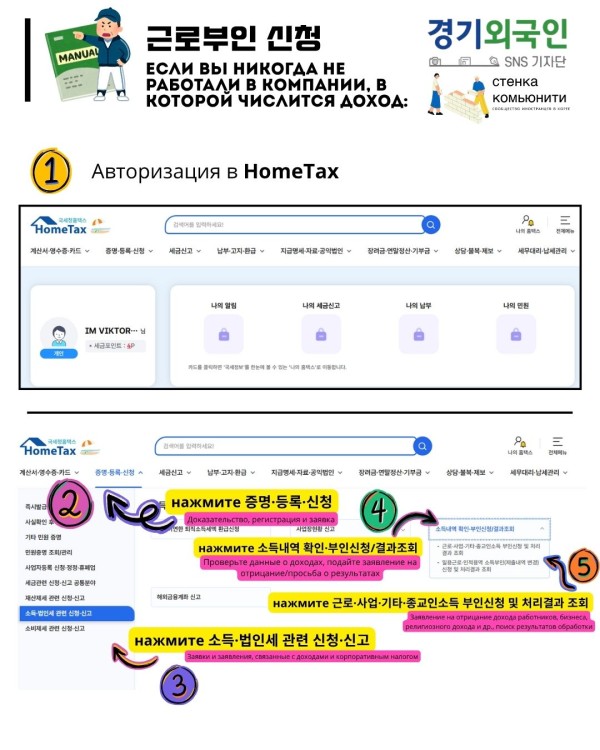
Log in to HomeTax.
-
Navigate to: 증명·등록·신청 → 소득·법인세 관련 신청·신고 → 소득내역 확인·부인신청/결과조회.
-
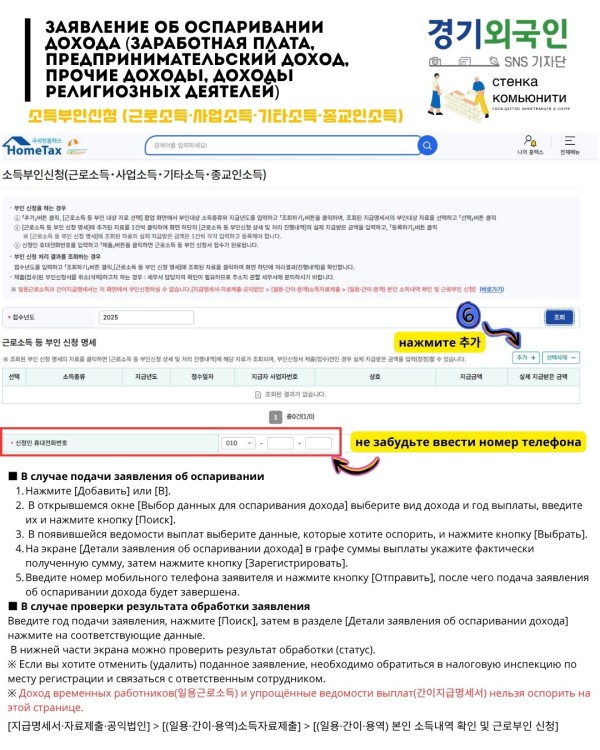
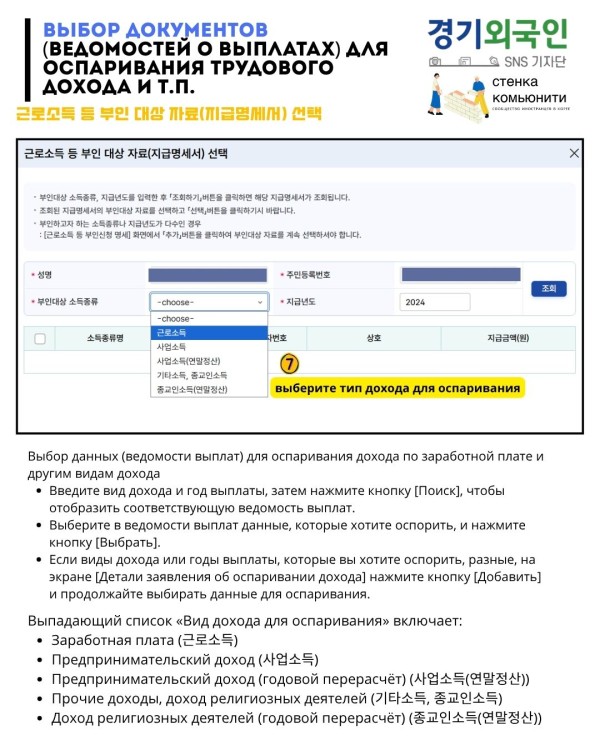
Select the false income and click 추가.
-
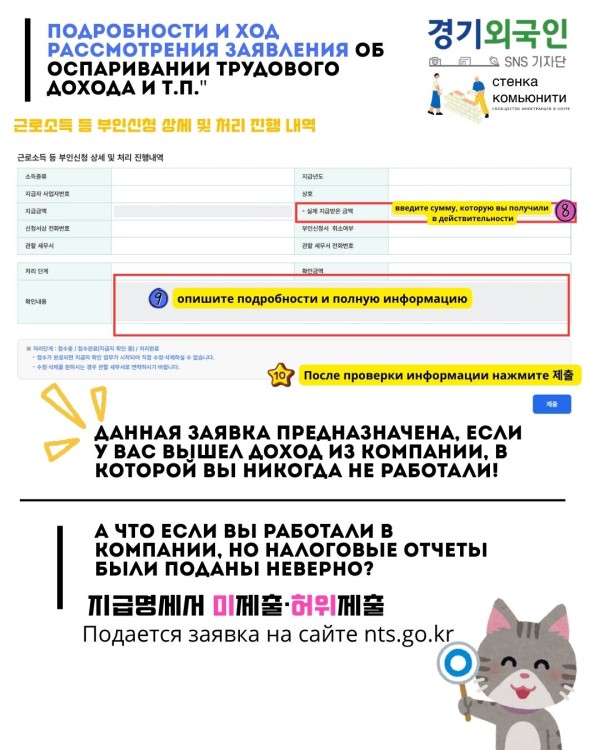
Indicate that no actual payments were received and enter your phone number.
-
Submit the application.
🔄 What Happens After Submission
Your application goes through three stages:
-
접수중 — application submission is registered.
-
접수완료(지급자 확인 중) — verification by the employer/payer is in progress.
-
처리완료 — verification is completed.
⚠️ Important:After transitioning to the 접수완료 status, you cannot make changes or delete the application yourself.If you need to make corrections or cancel the submission, please contact your 관할 세무서 (tax office at your place of residence).💡 Tip
Check your data on HomeTax at least once a year, especially before filing your tax return or when changing your visa status. This will help you identify false income in a timely manner and avoid problems with taxes, insurance, and social benefits.
-


- Previous Post[Korea Tax Common Sense Series 1] If you stay in Korea for more than 183 days, your tax classification changes.2025.09.19
- Next PostTypes of Businesses in Korea and Their Differences!2025.07.18
Comment List
No comments available.